Team & roles
Invite teammates into your organization and control what each person can see and do with role-based access.
The Team area lets the organization owner invite teammates, give each person a role, and control which shops and sections they can open. It lives in the Open Platform — open the account menu (top-left) and choose Team.
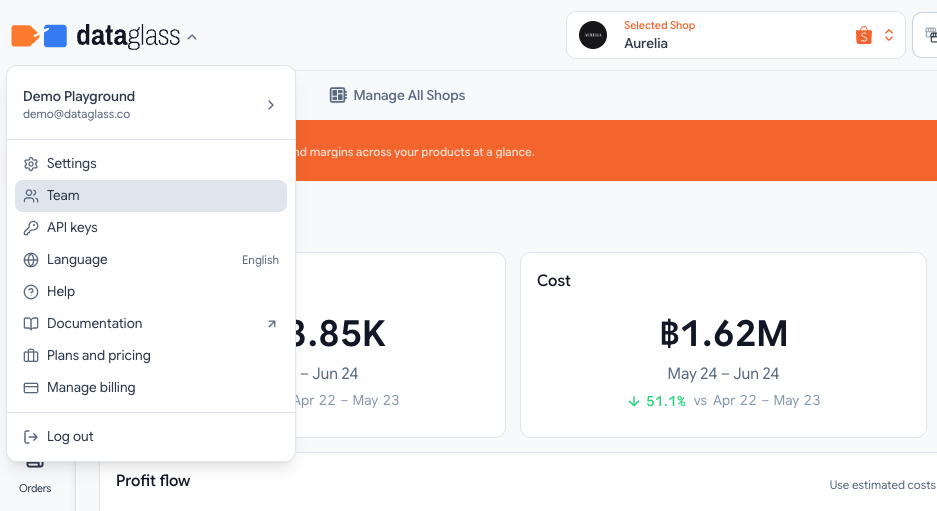
The Team page shows your organization name, how many members it has, your own role, and the workspace mode.
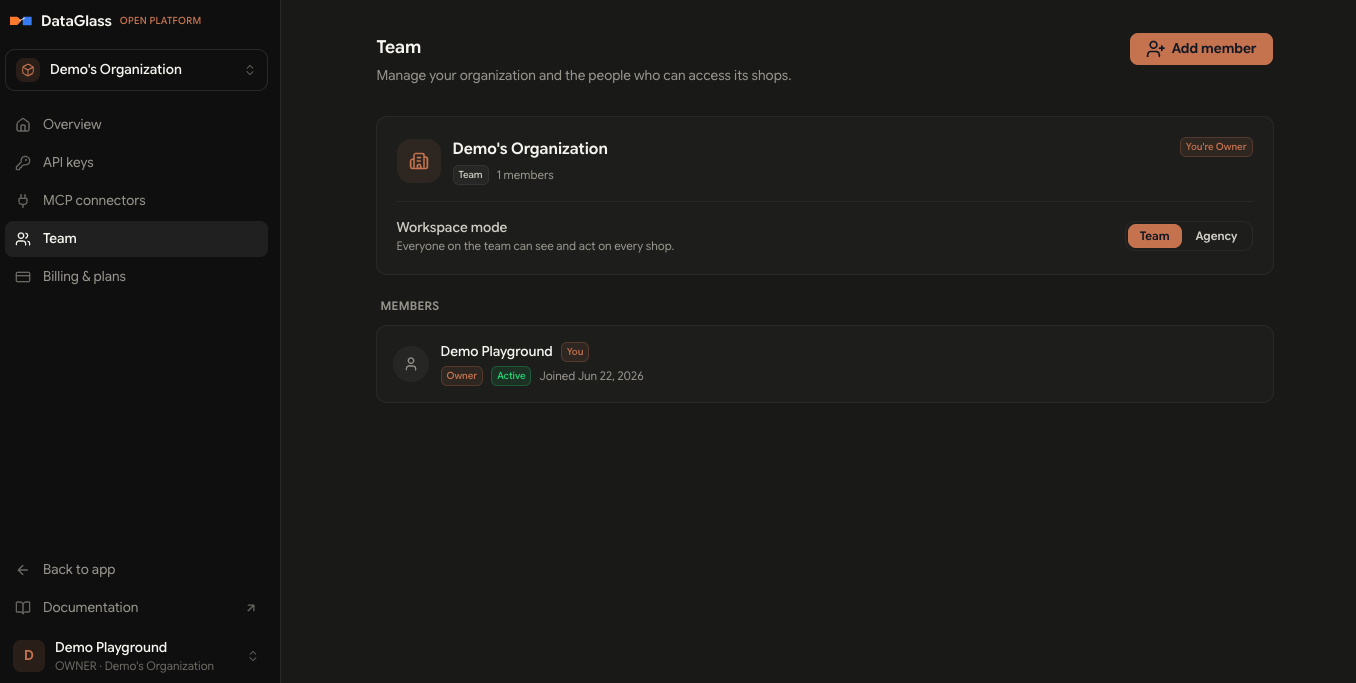
Workspace mode
Every organization is one of two modes, set with the Team / Agency toggle:
- Team — Everyone on the team can see and act on every shop. Best for a single business running its own stores.
- Agency — Shops are private to each member. The owner assigns specific shops to each person — ideal for an agency managing separate clients.
Roles
Each member has one role. The owner picks it when adding someone and can change it later.
| Role | What they can do |
|---|---|
| Owner | Full control, including billing and team management. |
| Admin | Manage shops and settings across the team. |
| Manager | Run day-to-day operations across team shops. |
| Member | Access team shops and act on decisions. |
| Viewer | Read-only access to team data. |
Only the owner can manage the team — adding people, changing roles, and setting access. Everyone else sees the team list as read-only.
There must always be one owner. You can't demote, suspend, or remove the last owner of an organization.