Product table
ShopeeLazadaTikTok
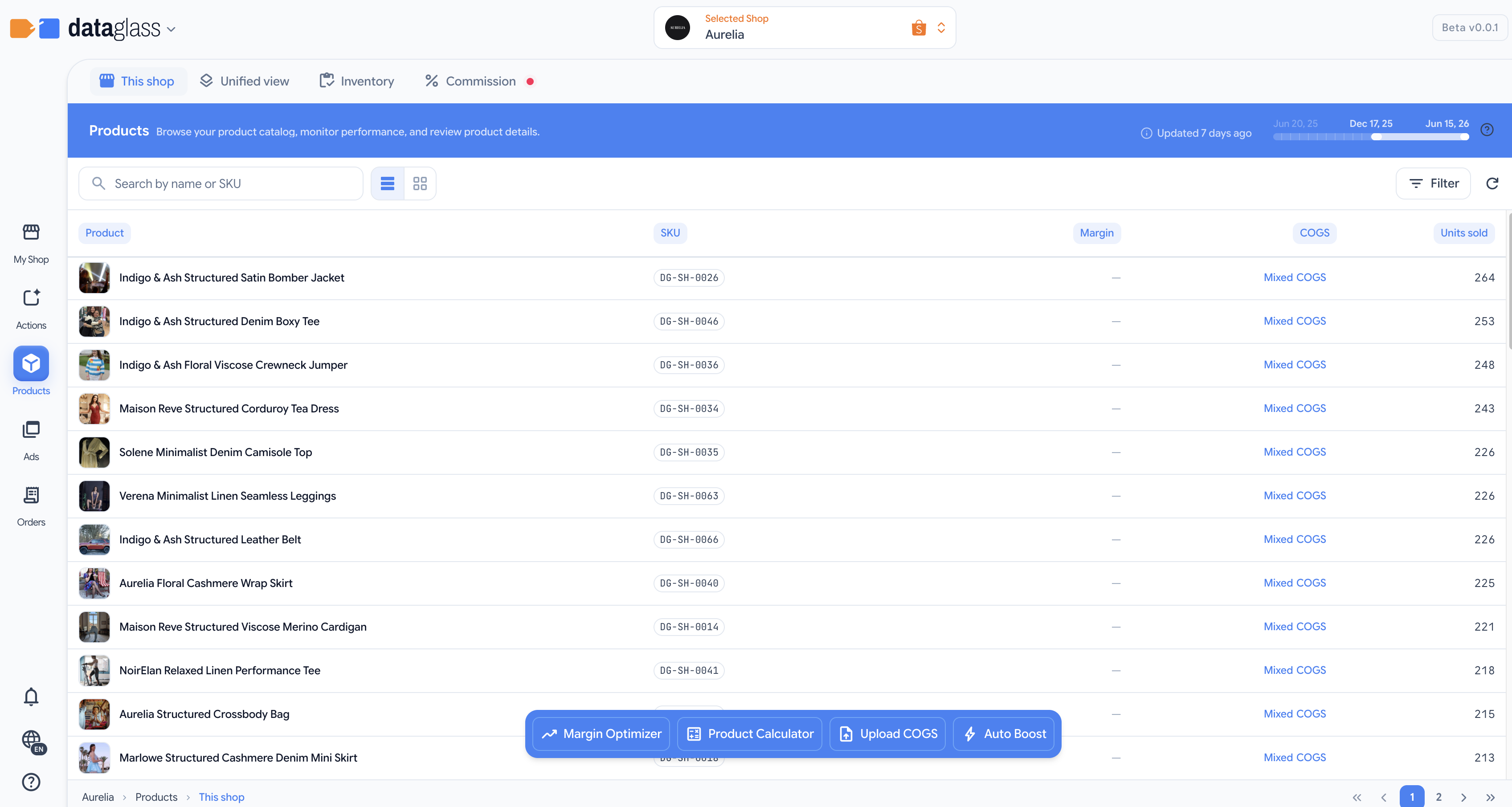
View all products across your Shopee, Lazada, and TikTok shops with key metrics and inline COGS editing.
The product table is your per-platform product list. For each shop, it displays name, SKU, units sold in the last 180 days, current price, stock level, COGS, and estimated net profit — the financial reality after all fees and ad allocation.
How to use it
- Select a shop from the workspace dropdown.
- View all products as rows — filter by name, SKU, or quick search.
- Edit COGS inline — click the COGS column to set a value. Shopee shows AI-suggested COGS below the input.
- Rename for clarity — hover a row and click Nickname (or open the row menu → Edit nickname) to give a product an easier-to-scan display name. This changes only how the product appears in DataGlass — it never touches your marketplace listing. Available on Shopee and TikTok.
- Sort by any column — sales, margin, or price — to find outliers fast.
- Read the margin spread — the small chart in the Margin column shows how margin varies across a product's models, so one healthy average can't hide a loss-making variant.
Why this matters
- GMV hides the truth. A product with high sales might lose money after platform fees and ad spend. Net profit tells the real story.
- COGS is the foundation of margin math. Setting it once per item is faster than re-entering it later during pricing decisions.
For Shopee products, the AI-suggested COGS is calculated from your historical costs on that shop. Accept it or override it with your actual cost. Changes apply to all variants of the item.