Ads planning
By default the simulator charges ads as a per-sale cost carried from your recent history. If you plan to run ads during the campaign, three toolbar tools — Ads, Affiliate, and Costs — let you model that spend explicitly. They feed the Campaign phases forecast, so switch your Sales forecast there first.
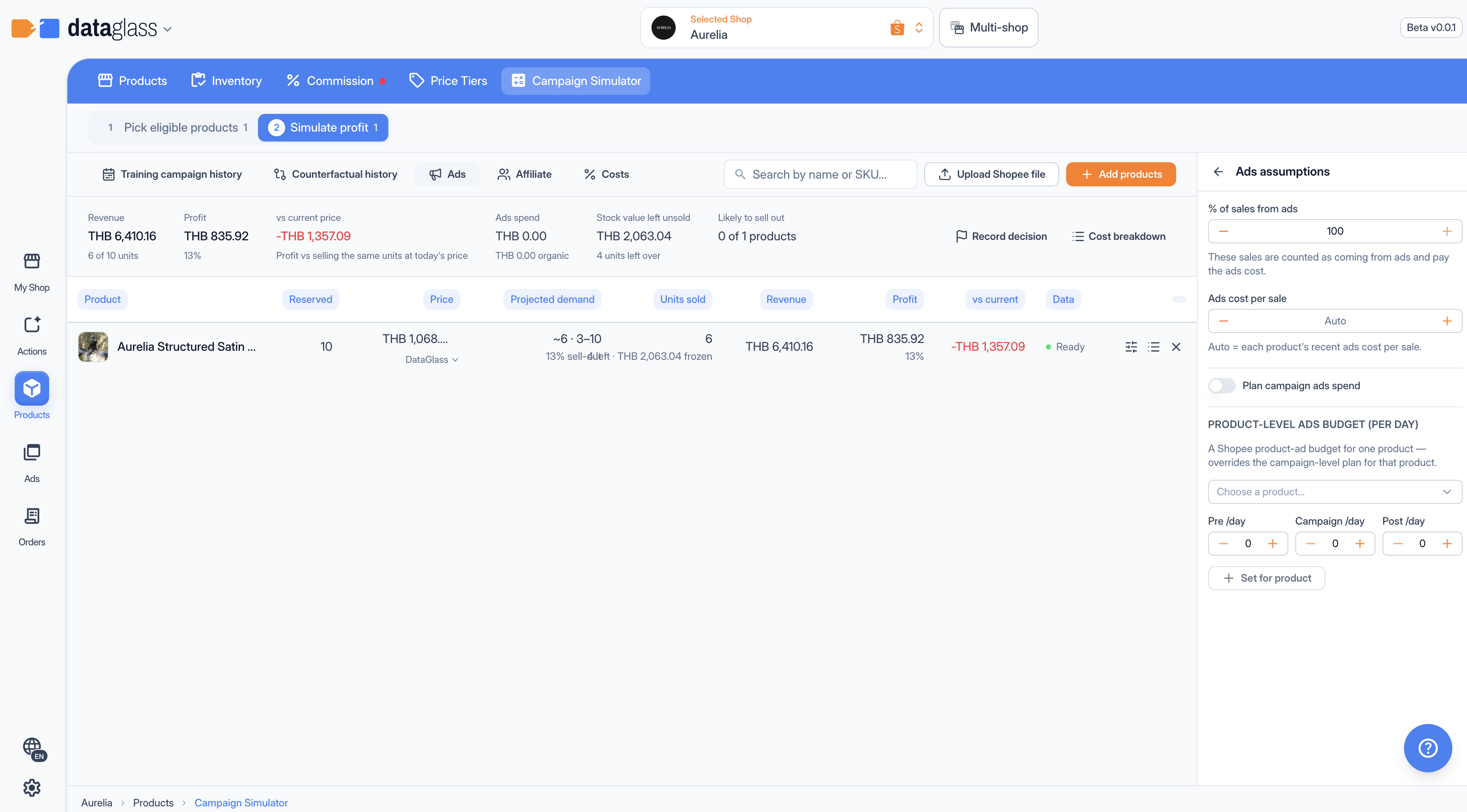 The Ads tool — plan campaign and per-product spend.
Ads tool
Two always-on knobs (Scenario panel, under Ads assumptions):
- % of sales from ads — how much of demand your ads drive (default 100). Lower it if organic traffic carries part of the sales.
- Ads cost per sale — the ad cost charged per unit. Left on Auto, it uses each product's recent cost; type a number to override.
In the Ads tool itself:
- Plan campaign ads spend — a daily budget across the campaign, split Pre /day, Campaign /day, Post /day (all default 0).
- Product-level ads budget (per day) — set a budget for one product (mirrors a Shopee product-ad budget); it overrides the campaign-level plan for that product. Choose a product and Set for product.
Affiliate tool
Affiliate (AMS) commission normally blends across every sold unit. Turn on the channel model (via Use planned spend as the ads cost) and the simulator forecasts organic, ads, and affiliate sales separately, charges AMS only on affiliate-channel units, and uses your planned ad budget as the ads cost.
Costs tool
Add an Extra commission fee (%) charged on the selling price of every sold unit. The Use 3.21% (Flash Sale / dynamic discount) button fills the standard Shopee participation rate. It shows as a Campaign fee line in every cost breakdown.