Unified products
ShopeeLazadaTikTok
Consolidate the same product across Shopee, Lazada, and TikTok into a single canonical view.
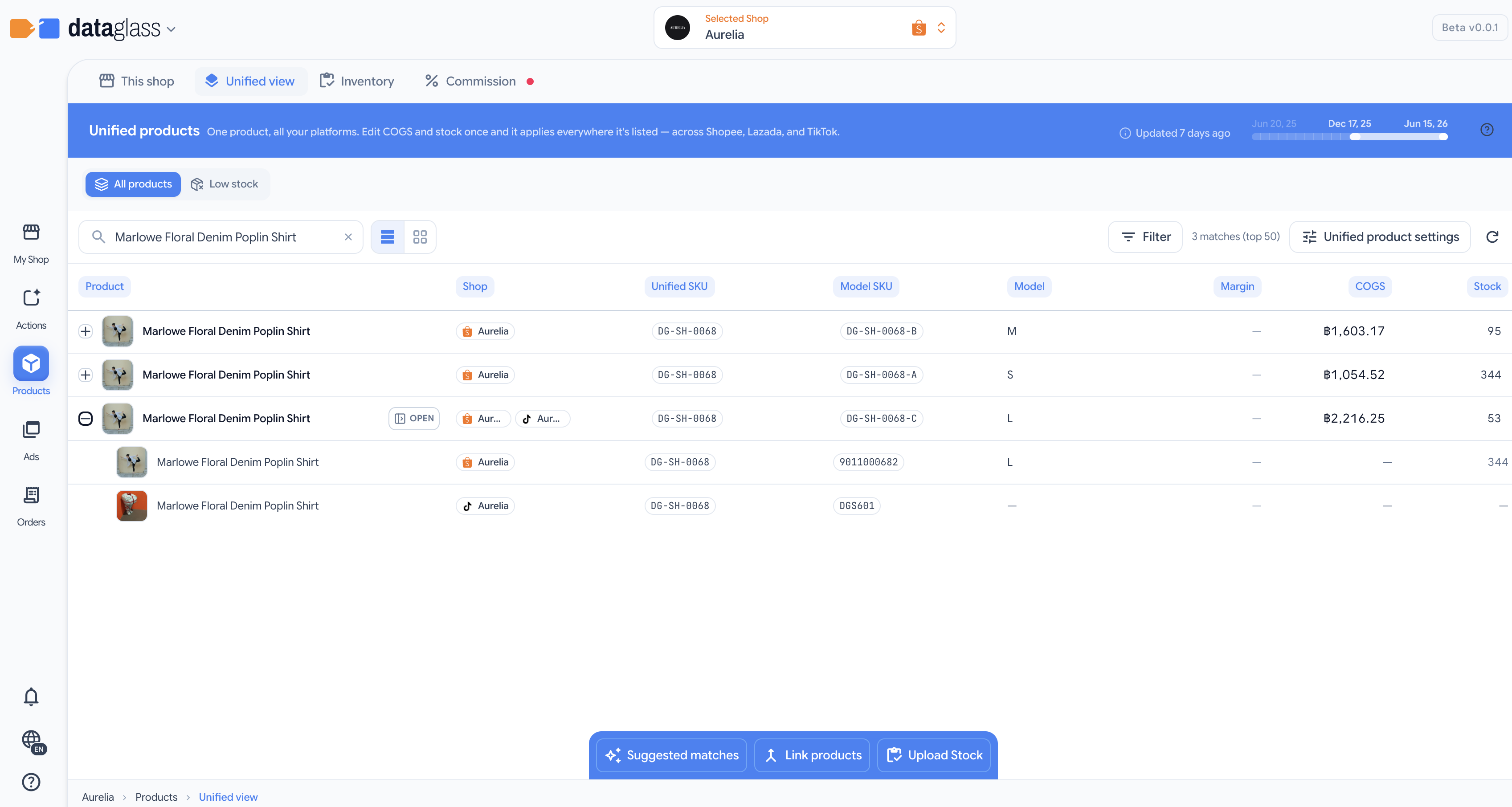
Unified view groups the same product across your marketplaces into one canonical parent row, with platform-specific sub-rows underneath. This is how you see products once — not three times.
How to use it
- View canonical products — the consolidated cross-marketplace list, auto-grouped by matching products.
- Auto-match — bulk-link the confident matches in one pass.
- Manual merge — click a product, review the match signals, and confirm or unlink.
- Expand per-platform details — click a parent row to see each platform's SKU and price side by side.
- Detach one shop — expand a product and click the minus on a platform sub-row to split just that shop's listing back out as its own product; the other shops stay grouped.
How matches are suggested
DataGlass compares each listing's SKU, model SKU, and product name across your shops (not barcodes) and proposes matches in two tiers:
- Exact — Same SKU or Same model SKU. Auto-match selects these for you.
- Likely — a similarity score shown on the suggestion, e.g. Name match · 92% or SKU similar · 88%. Review these before confirming.
Use manual merge to confirm the likely ones, or to unlink a product that was matched incorrectly.
Why this matters
Without consolidation, you manage the same product in three places and your costs, stock, and profit never roll up. One canonical record lets you edit once and read the combined picture.